
Drivemark
A key part of any project is knowledge and technical skill. Both of these can be gained with time.
However, for a personal project done in your own time, a bigger factor is “Arsedness Threshold” (AT): Can I be arsed building this? I like to think I have a fairly low AT, but there is still a definite limit.
Obviously professional projects are different.
Case in point: for a number of years I’ve been paying for Raindrop.io. Its a relatively simple bookmark sync system that lets you manage a set of bookmarks between devices.
Why was I paying? I simply couldn’t be arsed building it myself.
Recently, my subscription came up for renewal, and I wondered: could Claude Code reduce my AT enough that I could build my own?
The answer is yes.
You can try it out right now.
Plan
Rough Sketch
I need a way to store bookmarks accessible between multiple devices.
It needs to be secure, performant, and reliable.
I really don’t want to pay for or manage any infrastructure (no databases etc). Having my own infrastructure means I have to maintain my own infrastructure: update it when security updates appear, and so on.
I also don’t want to handle or see anyone’s Personally Identifiable Information (PII).
I’ll want a Chrome extension and an Android app. I’ll also want it in the Chrome store and the Play Store so others can use it.
Code will be in github.
Storage Plan
The key thing here is where to store the bookmarks: we do need something, but as stated above, it must not add any cost/infrastructure/PII.
So, I already have a Google account: let’s just use a Google Sheet in Google Drive! If you haven’t used these, they’re basically online spreadsheets supporting live multi-user editing, or programmatic editing via an API.
As a bonus, users can just directly access the Google Sheet themselves if they want to maintain the bookmarks by hand, or do other cool things with them.
Build
If you know me, I will obviously inspect the code and make sure it is up to scratch and to my taste. I’ll try not to go into too much detail on the code here, but I will discuss major changes and findings.
Chrome Extension
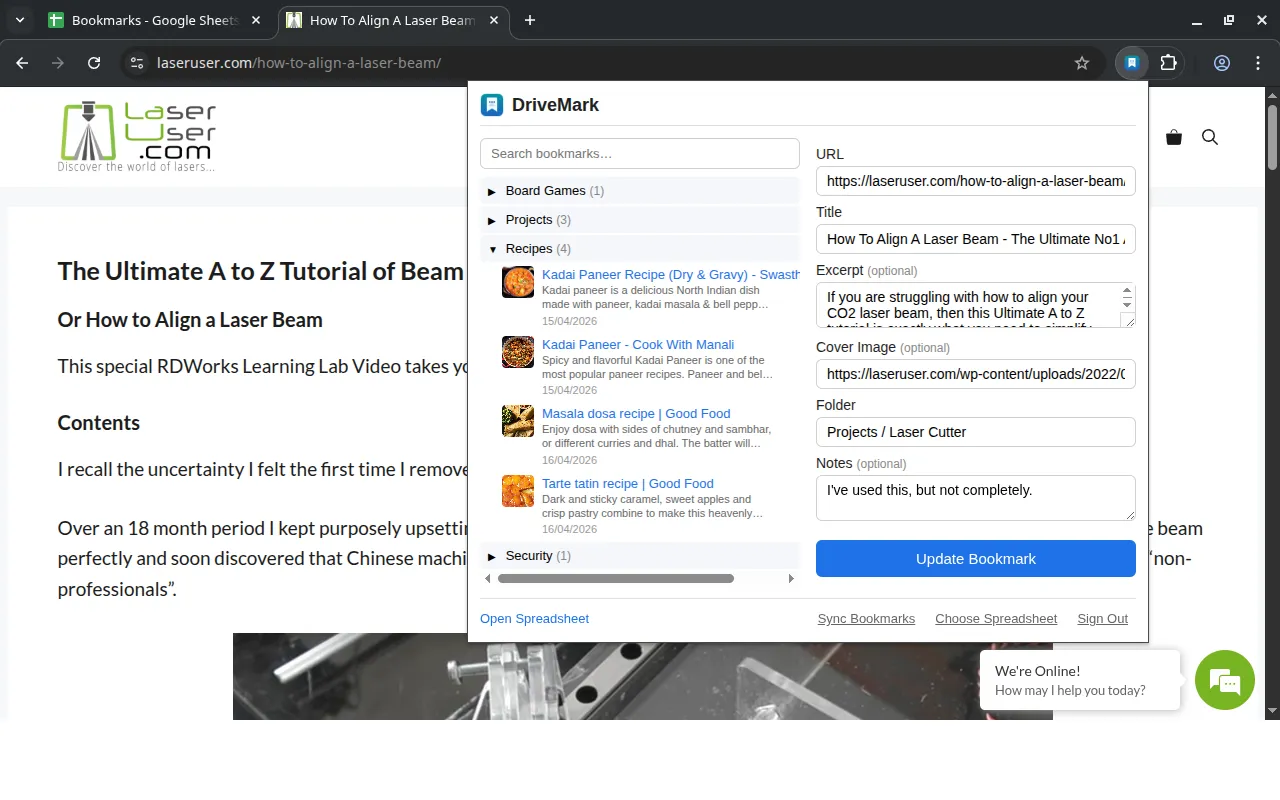
These consist of HTML, Javascript code, and Image assets.
Claude did do a reasonably good job of what I wanted on the surface, but it did take a few rounds of refinement.
Digging into the code, I found it was somewhat of a mess of Javascript mixed with HTML using direct string substitution. This has two big problems:
- It is really hard to see what is going on, making review and future maintenance much harder.
- Manual direct string substitution is a security hazard: if someone has a poisoned bookmark, unless it is done exactly right, it’s possible to inject unwanted Javascript into the app at runtime, leading to a compromised browser.
The manual string substitution is akin to the old adage from cryptography: always use someone else’s crypto library. If someone is experienced and focussed on just building a library, the amount of bullet testing will be far greater, and therefore almost 100% guaranteed to be more secure than something you put together by yourself for one application.
I ended up making it use Preact, which is a tiny templating library based on its much bigger brother, React. This is great for this situation - where you need something simple, small and embedded. It solves both problems: the code is much more maintainable (it reads like normal React code), and Preact also handles the string substitution for you.
Another thing very common with Claude is age of libraries: it has a habit of using library versions from a couple of years ago: I always explicitly tell it to check and upgrade to the latest stable versions, so we’re not stuck on ancient out of date code/approaches, and so we get all the latest security fixes.
Finally, I made Claude write comprehensive unit tests so future change would be easier. Unit tests verify your application logic, so if you later accidentally break it you spot it during development-time, and not irate-end-user-complaining-time.
Android App
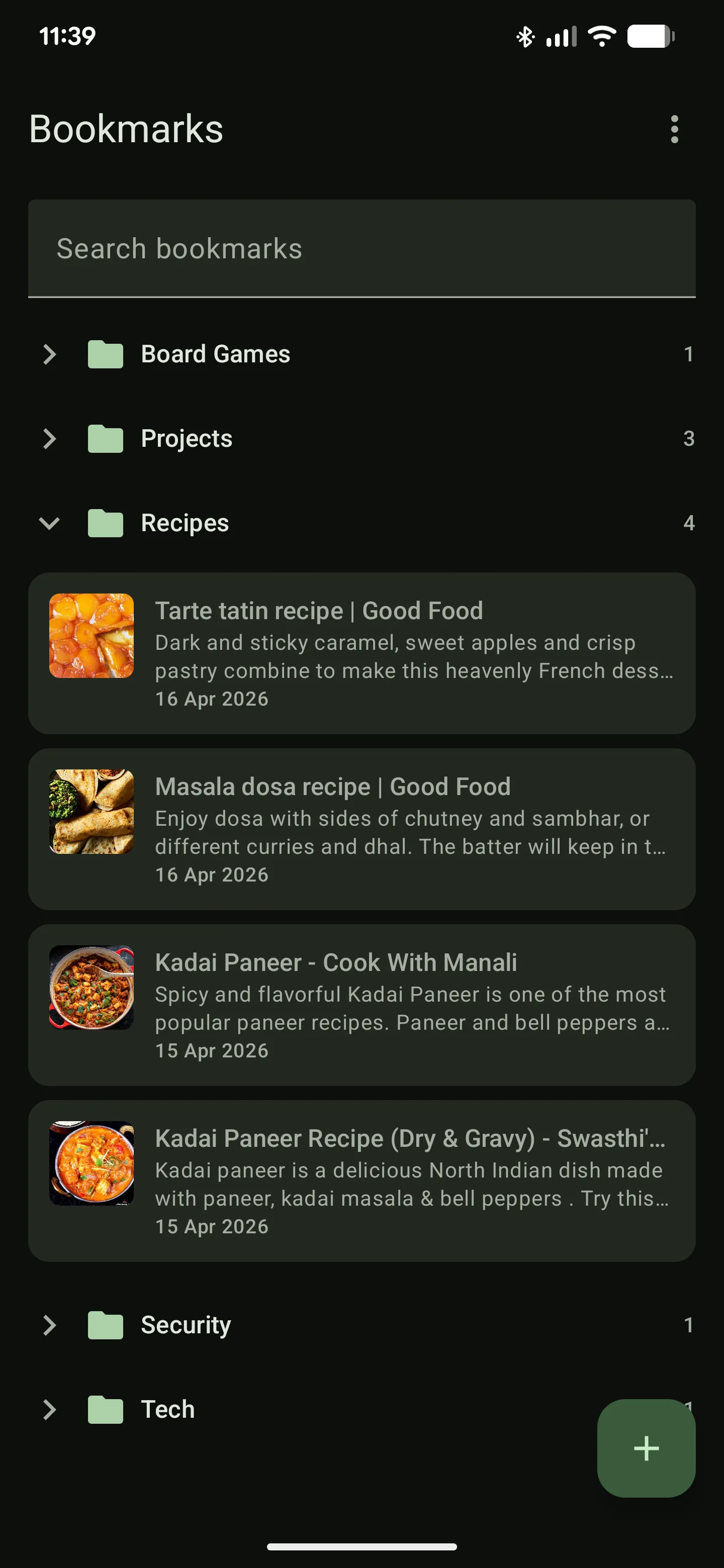
The Android App consists of Kotlin code and Image assets (other apps may have different approaches).
The code was actually not bad at all: I’d already built the Chrome Extension, so Claude was able to inspect that code to determine what I was actually building, which I reckon helped a lot.
I’m extremely glad it did: I find Android somewhat overcomplicated for building GUIs, and they do seem to like to change their approach completely every few years. Claude didn’t seem to have a problem though (and I now also know a lot more about building them too from reading the code). This would have been a major AT issue had I done it by hand.
However, the same problem occurred: both the build system and the libraries were very out of date, so I got Claude to update both. This actually took it a while as the build system (gradlew) seems quite fragile: you have to get exactly the right versions of everything, and have exactly the right configuration (which changes subtly from version to version). I just left Claude figuring it out, and after a while, it managed it: we’re now targetting the latest Android release and supporting libraries.
Again, I made it write comprehensive unit tests.
Google Sheet
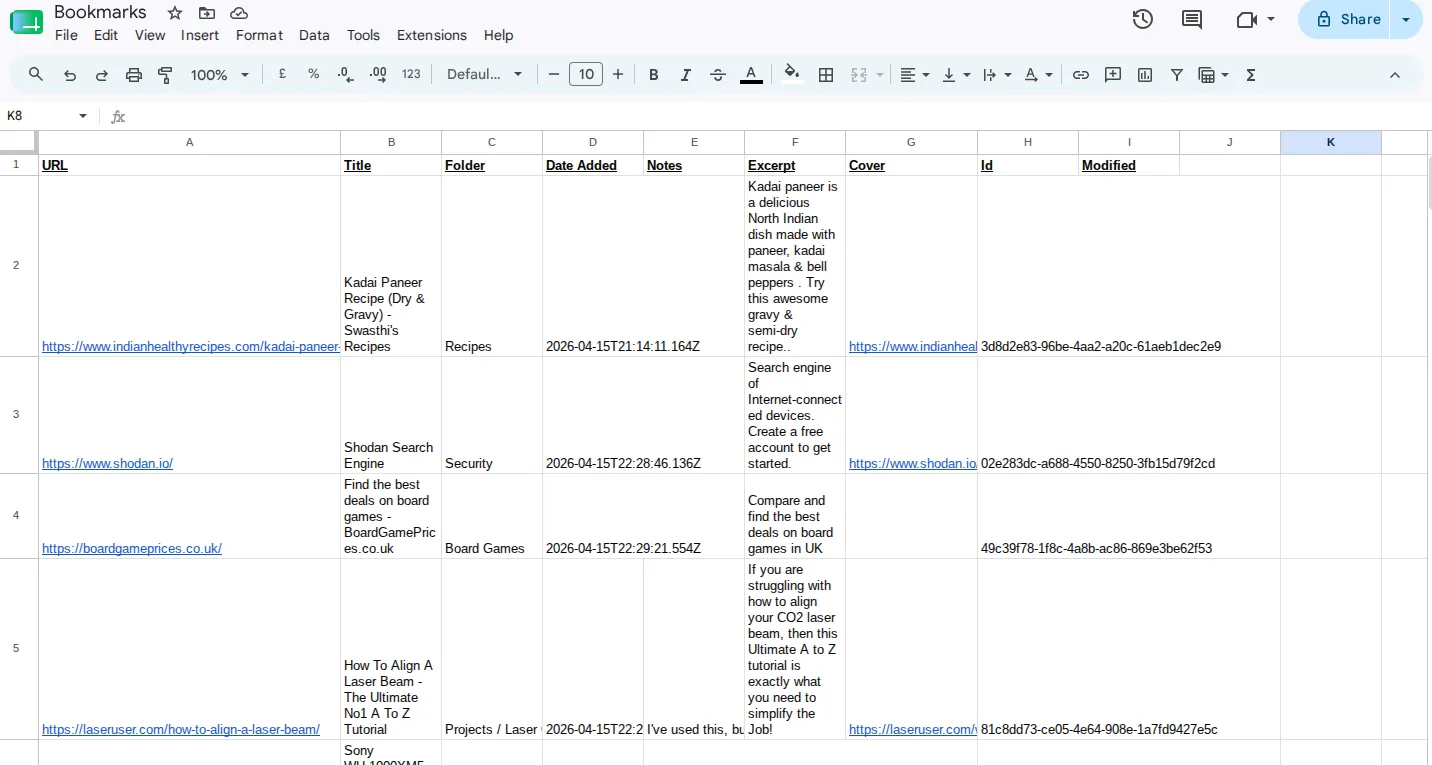
Here’s a pic of the data stored in the google sheet “backend”:
Storage Concurrency Issue
I like to mull things over when I’m doing something else: the shower, cooking, or gardening are the usual suspects. During one of these I realised there was a concurrency problem with the Google Sheet approach. I will try and explain:
In Google Sheets, you refer to rows by a row number, like a normal spreadsheet:
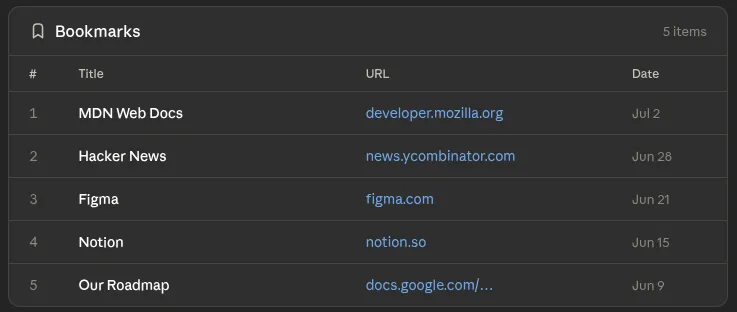
Say the following occurs:
- Client A deletes row 2
- All the rows shift up one.
- Client B updates row 3 quickly enough that it hasn’t seen Client A’s deletion yet
BAM Unfortunately since A deleted row 2, and the rows shifted up one - Client B actually changes row 4 in the image (since it now occupies the place row 3 used to be)!
Even though this is a toy project, I’d still be quite annoyed if my bookmarks were corrupted like this.
In a more serious system, this is a very subtle data corruption bug. In my experience this is only discovered by a client digging into their data and asking questions after months of similar corruption. Cue extremely hard customer calls, and much time spent attempting to reconstruct the correct data. And then - of course - you need to talk to all the other customers who haven’t noticed it yet. Yeeesh!
To fix this, I used a similar approach to that used by the PostgreSQL open source SQL database:
- Don’t delete rows - just append a “tombstone” row marking that bookmark as defunct. Discarded bookmarks marked like this are ignored entirely on display.
- Don’t modify rows in place - just append a new version. Then only read the latest version when you display the bookmarks.
Here’s an image of the applying the changes above to the original spreadsheet.
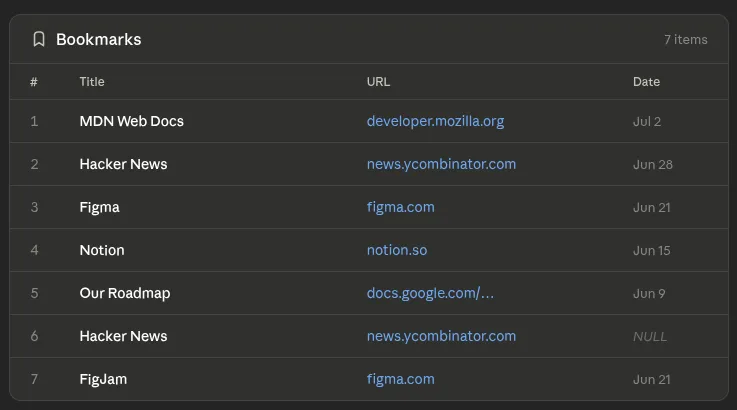
Since we only ever append rows, and never update in place, this solves the issue entirely.
You’ll note that there are multiple rows for the same bookmark URLs in the above. At load time, we always use the latest one, and ignore any previous rows (in the example above, row 7 will be used for figma.com, and row 3 will be ignored).
As you can see, if two clients change the same bookmark at almost the same time, we’ll just get two new rows appended: the latest one wins. This is about as good as you can get with this sort of concurrent system without a lot more complexity (eg locking and suchlike). I don’t believe that is necessary here.
It does add a new problem: the Google Sheet gradually fills up with defunct rows. This is solved by the clients occasionally deleting the defunct/ out of date rows (in Postgres this is known as VACUUMING the table). Again since we don’t refer to rows by id to update, this is safe.
Releasing it to the public
OK, the code is done. How do we get it so people can install it?
There are three components here, each of which need released with Google’s approval.
Google Cloud Project
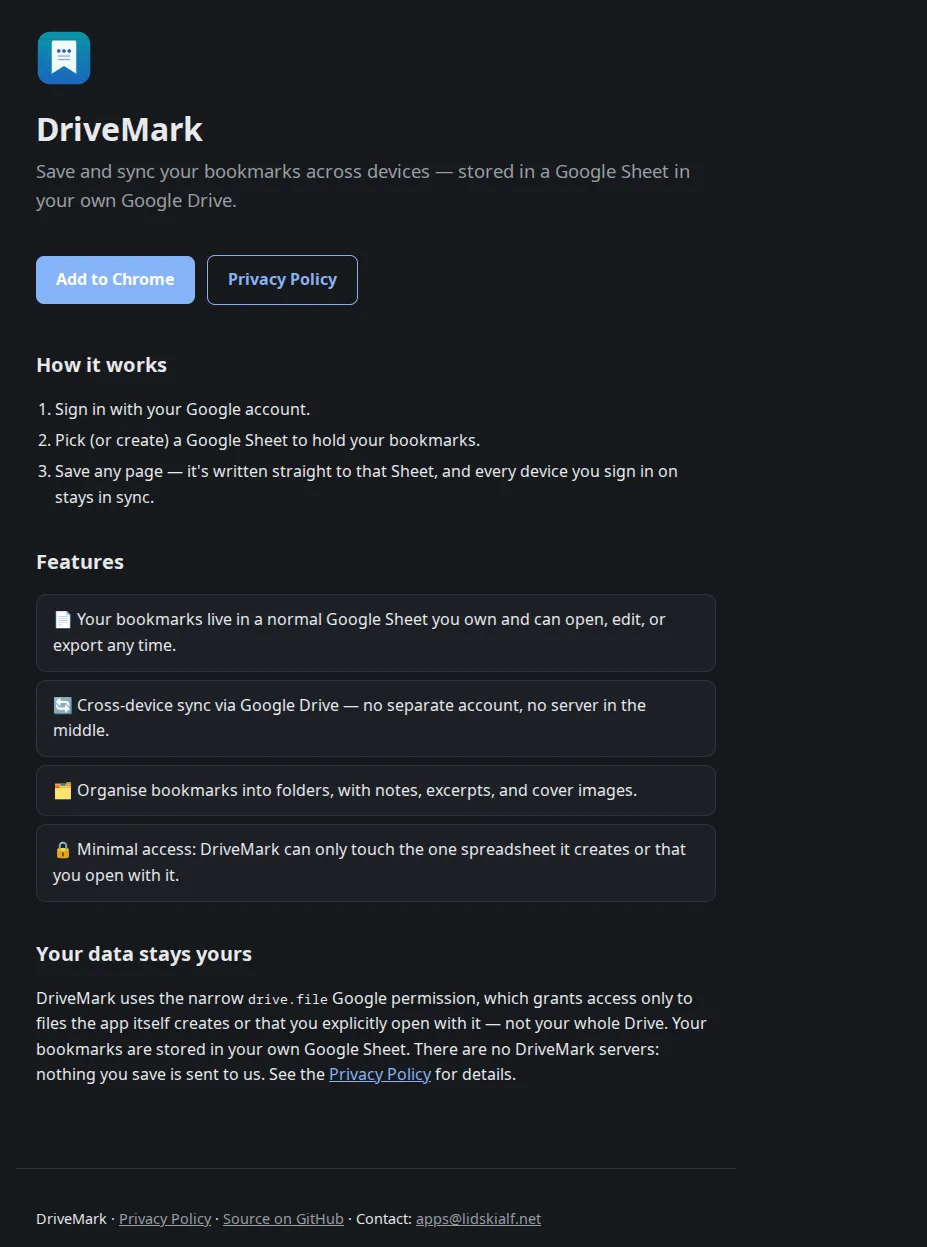
Since we “Sign in with Google”, we need a Google Cloud project to wire this up. And since we want this to be an official release to the public, it needs to go through Google’s verification process.
I had to setup the following:
- The project itself.
- Publish a website - I used github pages with copy on it.
- Write a privacy policy on the website (Claude did this).
- Design an icon (Claude aided here).
- Wait.
Google verified everything looked good before allowing it to go live - this took a couple of days, but there were no issues.
Google Chrome Extension
Next step, I needed a developer Chrome Web Store Account and to set it up:
- Pay the $5 one time registration fee.
- Add my details.
- Setup the details for the chrome extension (reusing the assets developed for the Google Cloud Project so straightforward).
- Define the set of browser permissions the app requires (pretty easy as its designed to be as lightweight as possible).
Once that was all done, one again, Google had to perform a verification process - this took around a day, again there were no issues.
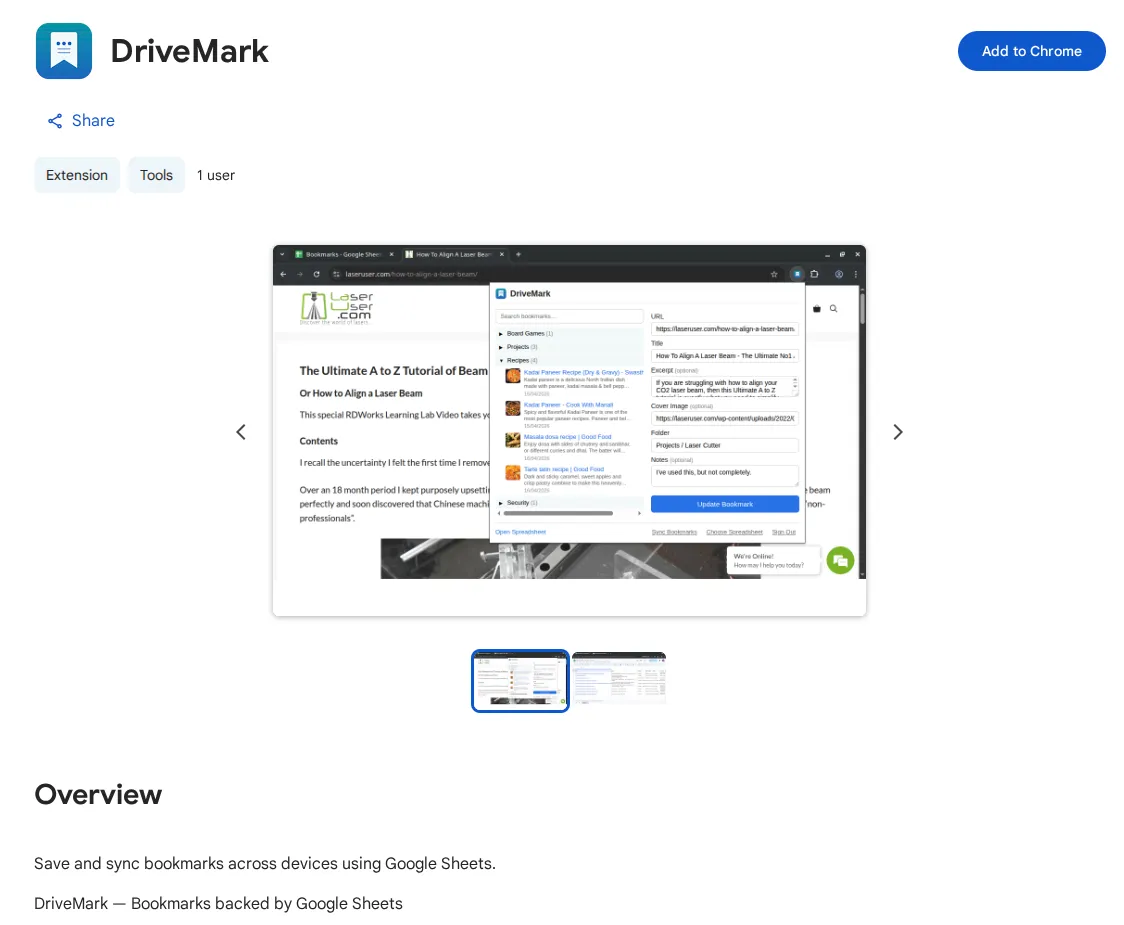
Its on the store right now!
Google Play Store App
Years ago, my friend Colin and I built and published the Edinburgh Bus Tracker App. This was the original bus tracking Android app for Lothian Buses. It is no longer on the Play Store, mainly because the app store kept on adding more and more requirements for developer validation, and Android went through several major changes, which would have required a rewrite.
Publishing an app then was relatively straightforward. Publishing an app now has a zillion hoops you need to jump through. This proved more onerous than writing the app itself. I’m sure they’re necessary to reduce the amount of fraud/scams, but its important to remember this is part of a Play Store project.
Developer setup:
- Create a new developer account (requires a one time fee payment).
- You need to verify yourself - you need to provide various PII and upload a scan of a document! This took a day or so to do gather, and for it to all be verfied by Google.
Once you’re through, you need to upload your app. There’s a battery of information you need to assemble or write:
- Like the chrome extension you need to provide a privacy policy, and a website etc.
- You also need to create various fixed size images and screenshots of the app.
- There’s a load of other stuff that has a multi-stage form you need to go away and come back to multiple times; I blissfully forget the exact details.
- I’m not even gonna charge for the app: there are even more steps required if you are.
The above took several days, including several different validation processes by Google.
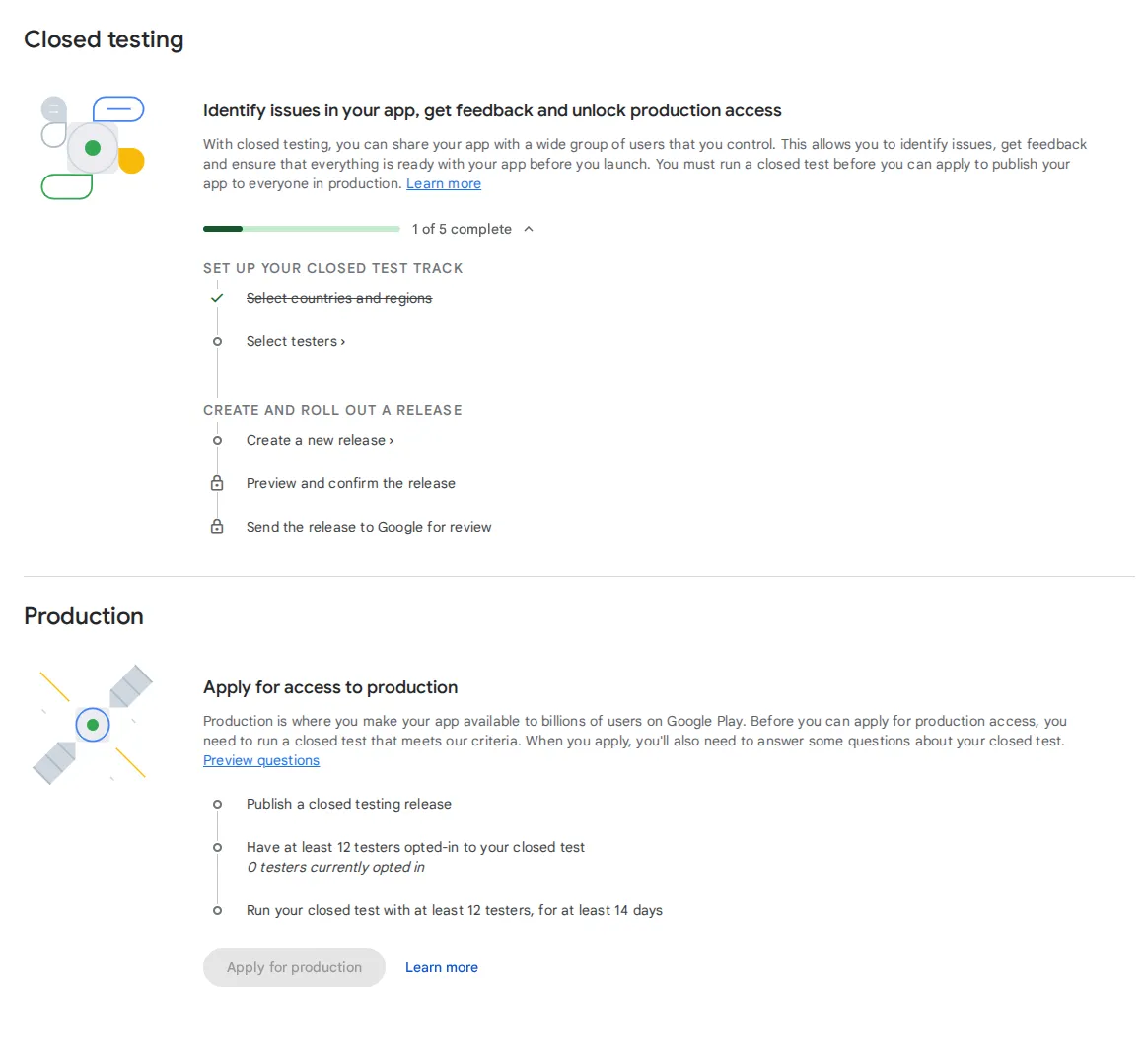
Finally, to go live in the Play Store, you need to do a closed beta test with a minimum of 12 named people for 14 days! Hmmph.
The app is coded, it works fine, I can sideload it onto my phone, and I’ve done all the Play Store hoops. But as I’ve not yet organised 12 people to test it, you’ll need to build and sideload it if you want to try it yourself :(
Conclusion
Yes, Claude Code definitely lowered my Arsedness Threshold significantly, allowing me build this.
I was able to get it to do most of the boring plumbing stuff, but I did need to read and understand it (and command targetted improvements multiple times) to get maintainable code without silent data corruption.
Did it save time? I don’t know if the absolute time was reduced, but I was able to leave it chuntering through the boring stuff while I got on with other much more interesting things on other projects.
However, the publication process cannot be helped by Claude Code (except for the creation of some assets like the privacy policy).
Try it out now. If you want to take part in a beta test of the Android app, do drop me an email!
The code is here.
Next Steps
I want to build a backend process that automatically snaps backups of the bookmarks as they appear in the google sheet. Useful things “go away” on the web with distressing frequency, so I’d like to have a backup.
Although I’ll happily provide the code when its done, you’d need to run this yourself somewhere: it needs infrastructure.
1 Comment
Matthew Hunter ·
Looking forward to using this over time - thank you
Mat